Aged care transfer summary quick reference guide
Print Article
-
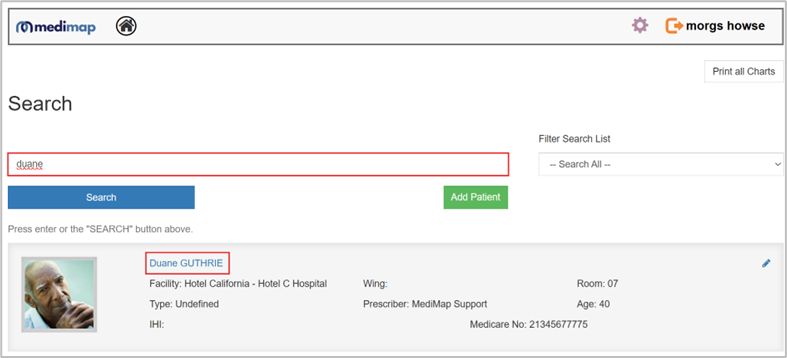
- Log into MediMap,
- Go to search and type in the resident’s name of the medication chart you want to view,
- Open the medication chart.
-
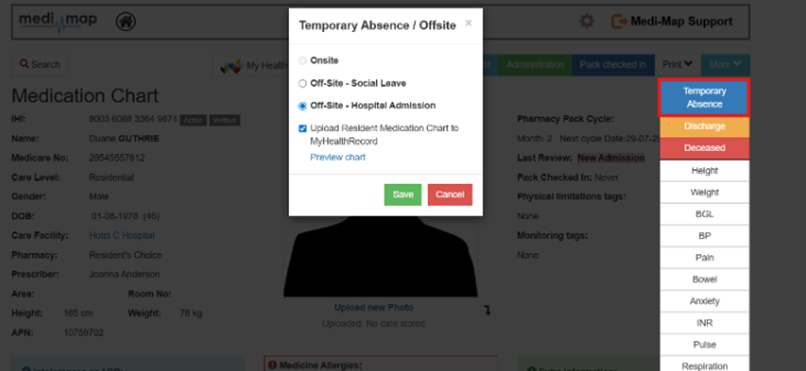
- In the resident’s chart, click on More then click Temporary Absence,
- Select Offsite – Hospital Admission from the options.
- Click Save.
-
- The option to Upload Resident Medication Chart to MyHealthRecord will be selected by default,
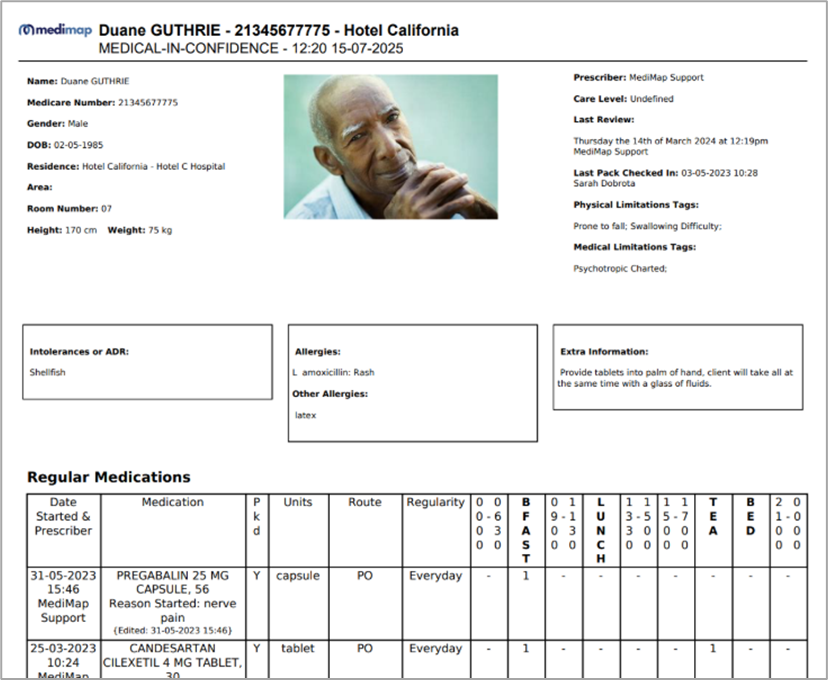
- Click Preview Chart to see a preview of the document and confirm that the information is correct.
- Review the document carefully. It will include:
- The resident personal details,
- Current medication chart,
- Administration records from the last 24 hours
- Click Save
-
- To check what documents are available in the residents MHR:
- In the resident’s chart click on My Health Record,
- Select a document to open,
- You will only be able to see documents for residents under your care.
