Skip to main content
Stopping a medication
Print Article
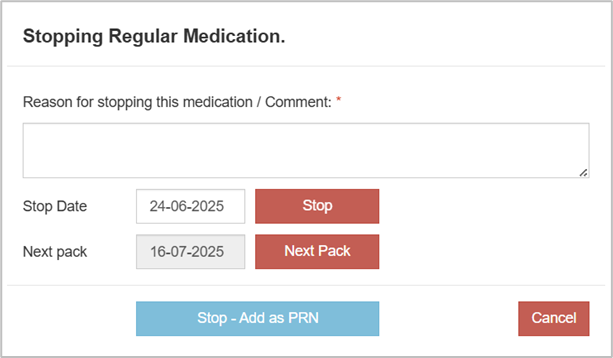
- Click on the Stop button on the line of the medication that needs to be stopped.

- Enter:
- A reason for stopping this medication or a comment – this will appear in red text in the medication line
- Stop date – will enter today’s date, the date can be altered by clicking on it
- Next Pack – will stop the medication at the end of the pharmacy pack. A pending date will appear on the right-hand side of the medication line
- Stop – Add as PRN if appropriate – will stop the medication and open the Input New PRN Medication window to be completed
Once stopped the medication will appear in the stopped section of the medication chart.
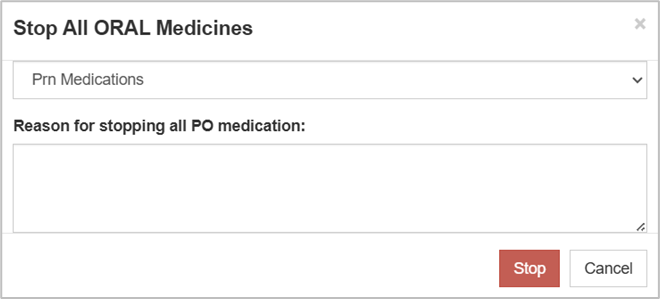
- STOP ALL PO MEDICATIONS
From the PRN Medications tab you can click on Stop All PO.

- Select from the dropdown:
- Prn Medications
- Regular Medications
- Regular and PRN Medications
Enter a reason for stopping all PO medication. Only medications with PO as the charted route will be stopped.